Virtual assistant vs AI: what each is good at, and when to use both.
A virtual assistant is a person who can think. AI is software that never sleeps. Here's how they compare on cost, judgment, setup and privacy, and which tasks belong with which.

Virtual assistant vs AI: the short answer
A virtual assistant is a person who works for you remotely and can use judgment. AI tools are software that do repetitive, well-defined tasks instantly and at any hour, but only as well as they're set up and checked. Most small businesses end up using both: AI for the work that repeats and a person for the work that needs thinking.
There are really three options, not two:
- A human virtual assistant (VA): a contractor or agency worker, in Canada or offshore, who logs into your email, calendar and tools and does tasks you hand over.
- AI tools you set up yourself: an AI assistant built into your email and documents, plus simple automations that move data between apps.
- Custom automation: software built around your own systems that does a full workflow on its own, such as replying to every lead and following up, and hands exceptions to a person.
How much does a virtual assistant cost in Canada?
A Canadian-based virtual assistant costs roughly $33 to $36 an hour at published agency rates, and offshore assistants start around $10 to $15 an hour. Ten hours a week from a Canadian VA comes to roughly $1,400 a month.
- Canadian VA: Virtual Assistant Canada, whose assistants are Canadian residents, lists $33 to $36 an hour in CAD.
- Offshore VA: the same company lists Latin American assistants from $10 US an hour. Wishup, an agency with offshore assistants, says its VAs start from CA$12 an hour.
- Employee benchmark: Job Bank puts the median wage for an administrative assistant in Canada at $26.44 an hour, before the employer's CPP, EI and other costs. In the US, the BLS median for secretaries and administrative assistants is $23.23 US an hour.
A contractor's rate is higher than an employee's wage because they cover their own equipment, taxes and unpaid time between clients. Agency prices may also cover vetting and backup when your VA is away. To compare against hiring someone, our employee cost calculator shows what a part-time or full-time employee really costs in BC and Manitoba.
Offshore help is cheaper, with trade-offs:
- Time zones. Their day may be your night. That's good for overnight inbox work, and harder for anything live with your customers.
- Phone work. A caller may notice an unfamiliar accent or a line that cuts out. Email and back-office work usually travel better.
- Turnover. If your VA leaves or the agency moves them, you train the next person from scratch.
- Your data leaves Canada. That's allowed, but it comes with duties under privacy law, covered below.
One more check before you hire anyone ongoing: the CRA decides whether a worker is an employee or self-employed by looking at the real working relationship, including who controls the work, who supplies the tools and who carries the financial risk. Calling someone a contractor doesn't settle it. If you set their hours and tell them how to do the work, ask your accountant.
Virtual assistant vs AI: cost, availability and judgment
AI is far cheaper per task and works around the clock, but it has no judgment beyond the instructions you give it. A VA costs more and keeps set hours, but can handle the unexpected.

Cost:
- Human VA: paid by the hour, about $33 to $36 in Canada and from $10 to $15 offshore at the agencies above. Every task costs time.
- AI tools you set up: subscriptions, often under $100 a month. For example, Google Workspace Business Standard lists CA$18.40 per user a month at its standard annual price, with its AI assistant included, and Zapier's paid automation plans start at $19.99 US a month billed yearly. Your own setup time is the hidden cost.
- Custom automation: a one-time build plus a monthly running cost. Prices vary a lot with scope, so get a fixed quote. Our guide to AI automation costs for small businesses breaks it down.
Availability:
- Human VA: the hours you buy, in their time zone, minus sick days and holidays.
- AI tools you set up: any hour, but most only run when you open them and ask.
- Custom automation: any hour, triggered by events, such as a new email, a form, a missed call or an unpaid invoice.
Judgment:
- Human VA: real judgment. They notice that a customer sounds annoyed, that a supplier's email is a scam, or that a request doesn't make sense.
- AI tools you set up: none beyond your prompt. A language model can write a confident answer that's wrong, so it needs checking.
- Custom automation: follows your rules exactly, and a good build flags anything outside them for a person instead of guessing.
Setup time, quality control and scaling
A VA takes days to weeks to hire and train. AI tools take hours to start but ongoing tinkering to get right. Custom automation takes weeks to build and then runs the same way every time.
Setup time:
- Human VA: finding, interviewing and training someone, then writing down how you like things done. Expect a few weeks before they're working without questions.
- AI tools you set up: quick to try, slow to make reliable. It's easy to underestimate the hours spent writing instructions and fixing the output.
- Custom automation: a few weeks of building and testing, with someone mapping your process first.
Quality control:
- Human VA: you review their work and give feedback, and they learn. Quality depends on the person, and changes when the person does.
- AI tools you set up: you check every output that matters, especially names, numbers and dates.
- Custom automation: logs show what it did and when. A person reviews the exceptions it flags, and fixes go into the system once, not into one person's memory.
How each one scales:
- Human VA: cost rises in step with the work. Twice the emails means about twice the hours, and one person can only do so much.
- AI tools you set up: cheap to run more, but each person on your team sets them up their own way, and mistakes repeat at volume.
- Custom automation: handling 50 or 500 leads a week costs about the same to run. Changing what it does means changing the build.
Privacy and data residency: PIPEDA and cross-border data
Canadian privacy law allows you to send customer information to a VA or an AI service outside Canada, but you stay responsible for it. You need a contract that protects the data, and you should tell customers it may be processed in another country.

- You're accountable either way. The Privacy Commissioner's guidelines on processing data across borders say PIPEDA doesn't ban transfers, but the organization stays responsible and must use contracts or other means to give comparable protection.
- Tell people. The same guidance says customers should be told, ideally when you collect their information, that it may be processed abroad and could be accessed by that country's courts and authorities.
- Your province may apply instead. BC, Alberta and Quebec have their own private-sector privacy laws for information that stays in the province, and PIPEDA still covers data that crosses borders. Quebec's law goes further: section 17 requires an assessment before personal information goes outside Quebec.
- Health information has extra rules in some provinces, so clinics should check before sharing patient details with anyone remote.
What that means for each option:
- Human VA: they log into your accounts. Give each VA their own login, only the access they need, and a signed confidentiality agreement, and remove access the day they leave. For offshore VAs, the cross-border rules above apply.
- AI tools you set up: check where the vendor processes data and whether it uses your inputs to improve its models. Business plans often have stricter terms than free ones. Don't paste customer details into a tool whose terms you haven't read.
- Custom automation: you can choose where it's hosted and who owns the accounts, including keeping data in Canada if your customers or contracts need it.
Which tasks suit a VA, AI or custom automation?
Give a person the work that needs judgment or a relationship, give AI tools the one-off drafting and summarizing, and automate the work that repeats on a schedule across your systems.
Good fits for a human VA:
- Inbox triage where the right answer depends on who's asking.
- Phone calls to customers, suppliers or the bank.
- Research, travel booking and one-off projects.
- Chasing people who need a nudge from a human.
- Bookkeeping prep that means asking questions about receipts.
Good fits for AI tools you set up yourself:
- Drafting emails, proposals and job posts for you to edit.
- Summarizing long emails, documents and meetings.
- First drafts of social posts and website copy.
- Simple two-app automations, like a web form that adds a row to a spreadsheet and sends you an email.
Good fits for custom automation:
- Replying to every new lead within minutes and following up on a schedule. See lead follow-up.
- Chasing quotes and unpaid invoices until someone answers. See quote follow-up.
- Answering calls, booking and texting back missed callers. See missed calls and can AI replace a receptionist.
- Typing data from emails, PDFs and forms into the systems you already use.
- Reminders, scheduling and paperwork that run the same way every week.
Should I hire a virtual assistant? When it makes sense
Hire a virtual assistant when you have several hours a week of tasks that need a person's judgment or a human voice, and you can explain how you want them done. If the tasks are repetitive and rule-based, try AI or automation first.
Signs a VA is the right call:
- You spend five or more hours a week on tasks someone else could do with a little training.
- The tasks change week to week, or need a phone call, a judgment call or a personal touch.
- You can afford the hours: about $1,400 a month for ten hours a week from a Canadian VA at the rates above.
- You're willing to write down how you do things, or record yourself doing them once.
Signs to try AI or automation first:
- The same task happens dozens of times a week in the same way.
- It needs doing at night, on weekends or within minutes.
- The work swings between quiet weeks and busy ones, so a fixed number of hours doesn't fit.
- Mistakes come from things being forgotten, not from hard decisions.
If your real question is whether to bring someone on full time, our guides on whether you need an administrative assistant and how to hire an employee in BC go further.
Can I hire an AI assistant instead?
Not in the way you hire a person. You can subscribe to AI tools or have AI built into your systems, and they'll take on drafting, sorting, scheduling and data entry, but someone still has to set them up, check their work and handle what they can't.

A general AI assistant on its own tends to give generic answers. It doesn't know your prices, your customers or what you promised last week unless it's connected to the places that information lives. That's the difference between an AI assistant you chat with and an AI agent that works inside your systems and acts on a trigger. For a wider view, see what AI can do for your business.
The hybrid model: a person who runs the AI
The setup that works for most small businesses is automation for the repeating work and a person, a VA or someone on staff, who reviews what it flags and handles the exceptions. You buy fewer human hours, and those hours go to work that needs a human.
- AI drafts replies to routine emails, and your VA reads and sends them, or fixes the ones that are off.
- Automation follows up on every quote and invoice on a schedule, and your VA calls the customers who still haven't answered.
- Automation types incoming documents into your systems, and your VA checks the ones it marks as unsure.
- Once a week, you look at a short report of what went out, what came back and what got stuck.
The VA's job changes from doing every task to supervising most of them. That usually means fewer hours a week, and a better use of the hours you keep.
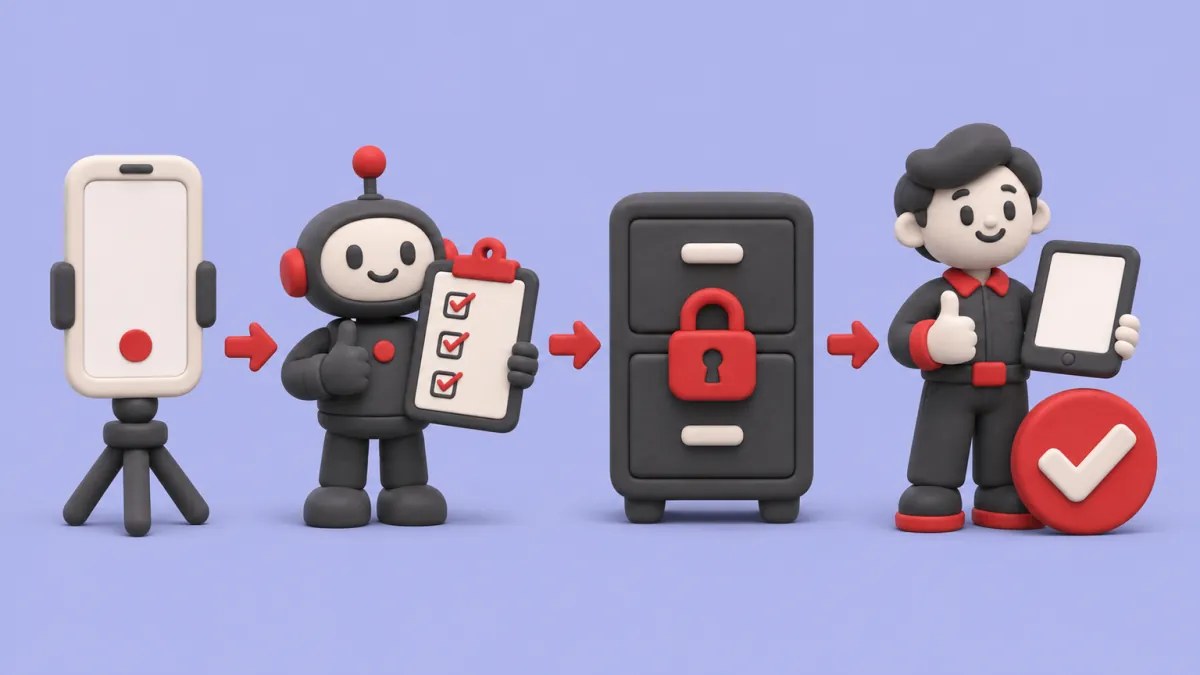
- Show the task once
- AI follows the checklist
- Data stays locked up
- A person checks the work
Want to see this mapped to your business?
If you'd rather not build it yourself
This is how we'd set up the automation half of a hybrid for a small business. It's a playbook, not a report on a client.
- We map the tasks you'd hand to a VA and sort them into person, AI and automation with you.
- We build the automation around your own email, calendar, accounting and job systems, so it knows your prices and customers.
- Anything unusual goes to your VA or staff member with the context they need, rather than a guess.
- The software and data sit in accounts you own. Here's why that matters.
Pricing in CAD: a free 30-minute call, then a $750 roadmap that's credited to the build. Builds are fixed-quote, usually $4K to $8K, and running costs are $750 to $1.5K a month. The first workflow is live in 2 to 4 weeks. See the pricing page, or take the quiz to see which workflow to start with. You may still want a VA or an assistant for the judgment work. You may not need to hire for the repeating part.
Start small
For one week, write down every task you'd hand to someone else, with how long it took and how often it happens. Mark each one: needs judgment, repeats the same way, or one-off. Hire a VA for the first column if it adds up to several hours a week. Try an AI tool on the one-offs. The repeating column is where automation pays back fastest.
Questions people ask
How much does a virtual assistant cost per hour in Canada?
Published agency rates for Canadian-based virtual assistants are in the mid-$30s an hour, and independent VAs set their own rates around that. Offshore assistants often start around $10 to $15 an hour. Specialists, such as bookkeepers, usually charge more.
Will AI replace virtual assistants?
AI is taking over the repetitive parts of the job, like sorting email, drafting replies and data entry. The parts that need judgment, phone calls and relationships still need a person. Many VAs now spend more of their time supervising AI tools and handling exceptions.
Is a virtual assistant an employee or a contractor?
It depends on the real working relationship, not the title. The CRA looks at who controls the work, who supplies the tools and who carries the financial risk. If you set someone's hours and direct how they work, check with an accountant before treating them as a contractor.
Is it safe to give a virtual assistant access to my accounts?
It can be, with precautions. Give each assistant their own login with only the access they need, use a confidentiality agreement, and remove access as soon as the work ends. If the assistant is outside Canada, you stay responsible for protecting your customers' information.
What's the difference between a virtual assistant and an AI agent?
A virtual assistant is a person who works remotely and uses judgment. An AI agent is software that carries out tasks on its own when something triggers it, such as a new email or form. Agents are faster and cheaper per task, but they need clear rules and a person to handle exceptions.
Not sure what to hand off first?
Bring a list of the tasks eating your week to a free 30-minute call. We'll sort them into person, AI and automation with you.